
The result picture
Every scan comes with a picture you can read in two seconds — and share.
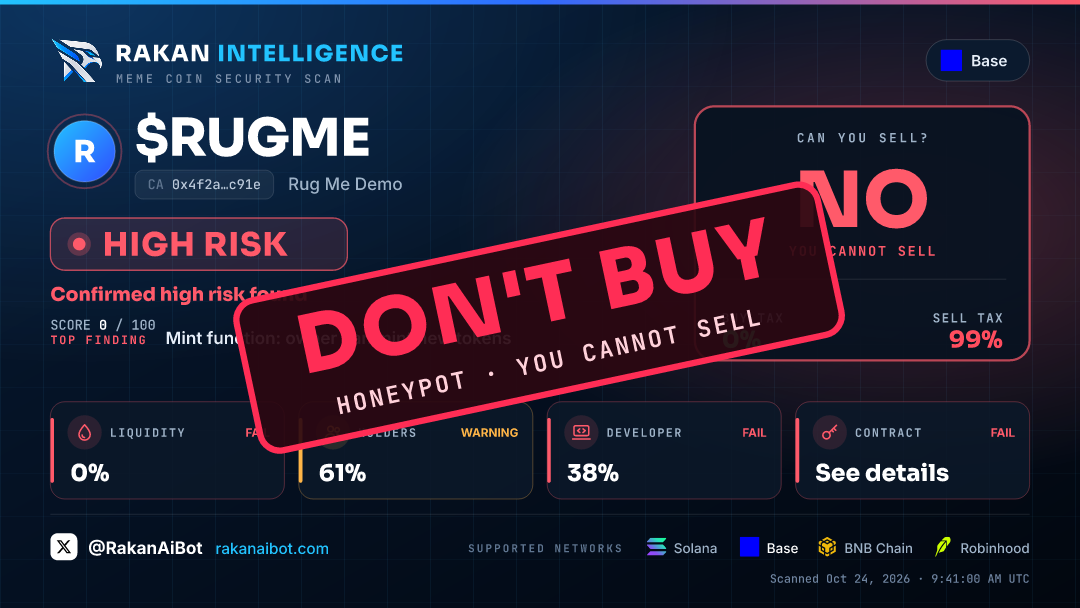
#The parts of the picture
- Verdict and score — the same as in the message.
- Top finding — the most important risk.
- CAN YOU SELL? — YES, NO, or the share of your money that comes back after a buy and a sell (for example 97 %).
- Buy tax / sell tax — green up to 5 %, orange up to 10 %, red above.
- Four tiles — liquidity, holders, developer and contract, each with PASS, WARNING or FAIL.
#The DON'T BUY stamp
The big stamp appears only when the danger is certain: a measured honeypot, or verified fake volume. It never appears on a guess.
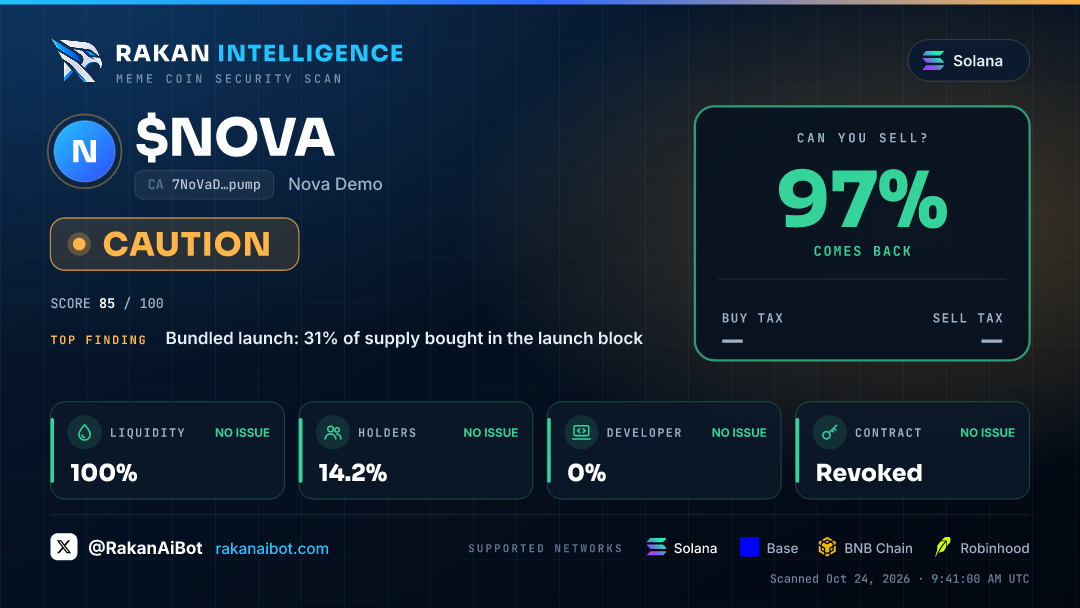
#Why "can you sell" matters
A honeypot lets you buy but blocks or taxes the sell. RAKAN asks for a real quote to buy and sell back a small amount, and shows how much returns. A low return can also mean a thin pool, not only a trap — check the liquidity next to it.